
Sales tax audits are an inevitable reality for businesses operating in multiple states or jurisdictions. As governments increase enforcement and digitize tax oversight, audit frequency and scrutiny levels continue to rise. For businesses selling across borders or online, audit exposure is no longer a remote possibility, it is part of the operational landscape.
The difference between a smooth audit and a costly one often comes down to preparation. Proper documentation, organized systems, and proactive compliance processes can significantly reduce financial risk and operational disruption.
In this guide, we outline the records you must retain, the red flags auditors look for, and how to prepare your organization for a sales tax audit with confidence.
Why Sales Tax Audits Are Increasing
Tax authorities are under pressure to close revenue gaps. With expanded economic nexus rules and real-time digital reporting systems, regulators now have more data than ever before.
Automated matching tools allow auditors to compare reported sales against:
- Payment processor data
- Marketplace platform reports
- Customs declarations
- Corporate income tax filings
If discrepancies appear, an audit may follow.
Preparation is no longer optional, it is strategic risk management.
Essential Records You Must Keep
Strong documentation is your first line of defense. During a sales tax audit, the burden of proof rests largely on the business. If you cannot substantiate a transaction, auditors may assume tax is due.
Here are the critical records every business should maintain:
1. Sales Invoices and Transaction Records
Keep detailed invoices showing:
- Date of sale
- Customer name and address
- Item descriptions
- Tax charged
- Exemption status (if applicable)
Invoices should clearly distinguish taxable and non-taxable items.
2. Exemption and Resale Certificates
Improper exemption documentation is one of the most common audit findings.
Maintain:
- Valid resale certificates
- Exemption certificates
- Expiration dates
- Jurisdiction-specific forms
Certificates should be complete, signed, and stored in a centralized system. Missing or expired certificates often result in automatic tax assessments.
3. Tax Returns and Workpapers
Retain copies of:
- Filed sales tax returns
- Supporting calculations
- Adjustments and reconciliations
- Payment confirmations
Auditors will compare returns against underlying transaction data. Your internal workpapers should clearly show how reported figures were calculated.
4. Software Logs and System Reports
If you use tax automation software, keep system logs that demonstrate:
- Tax rate updates
- Rule changes
- Override records
- Calculation timestamps
These logs can demonstrate good-faith compliance and reduce penalty exposure if errors occurred due to software configuration.
5. Audit Trails
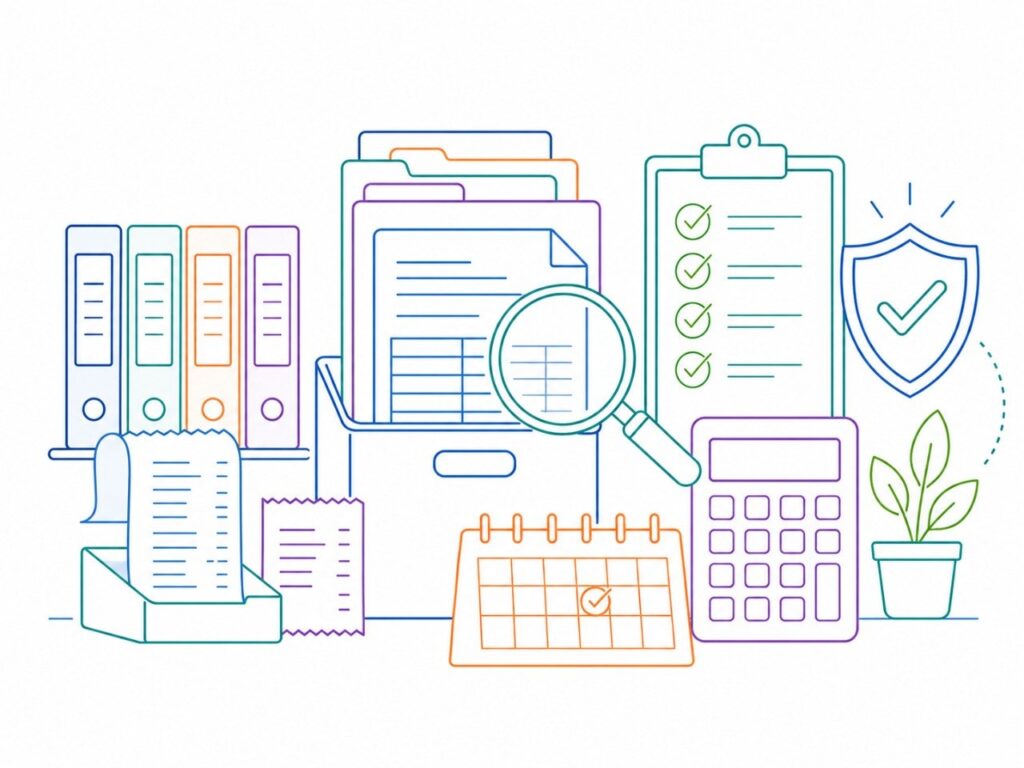
A clear audit trail links every reported number back to a source document.
Maintain:
- Accounting system exports
- ERP reports
- Payment processor summaries
- Bank deposit reconciliations
Auditors appreciate traceability. Disorganized data raises suspicion and prolongs audits.
6. Nexus Analysis Documentation
Keep records of how you determined where to register and collect sales tax. This includes:
- Revenue threshold tracking
- Marketplace sales breakdowns
- State registration confirmations
If questioned about late registration, documented nexus analysis can mitigate penalties.
Common Auditor Red Flags
Auditors are trained to spot inconsistencies. Understanding their triggers helps you prepare proactively.
1. Revenue Mismatches
If reported taxable sales differ significantly from gross revenue reported on income tax filings, auditors will investigate.
2. Excessive Exempt Sales
High percentages of exempt transactions without proper certificates are a major red flag.
3. Rounded Numbers
Consistently rounded tax amounts suggest estimation rather than precise calculation.
4. Negative Tax Adjustments
Frequent credits or adjustments without documentation attract scrutiny.
5. Late Filings and Payments
A history of noncompliance increases audit risk and reduces leniency.
6. Manual Overrides
Repeated manual tax overrides in POS or ERP systems signal potential control weaknesses.
How to Prepare Before an Audit Notice Arrives
The best time to prepare for an audit is before you receive one.
Conduct Internal Reviews
Periodically reconcile:
- Sales reports vs. filed returns
- Exemption documentation completeness
- Tax rates applied in various jurisdictions
Identify and correct discrepancies early.
Centralize Documentation
Store all tax-related records in a secure, searchable digital system. Decentralized files across departments create unnecessary risk.
Automate Where Possible
Automation reduces calculation errors and provides stronger documentation. Modern tax engines maintain rate updates and transaction-level detail automatically.
Train Staff
Ensure accounting, finance, and operations teams understand:
- Taxability rules
- Documentation requirements
- Escalation procedures
Audit readiness is cross-functional, not just an accounting task.

What to Do When You Receive an Audit Notice
Receiving an audit notice is stressful. Reacting impulsively makes it worse.
Follow a structured approach:
1. Review the Scope
Understand the audit period and jurisdictions involved. Do not provide information outside the requested scope.
2. Assign a Point of Contact
Designate one knowledgeable internal representative to communicate with the auditor. Fragmented communication creates confusion.
3. Gather Documents Methodically
Provide requested records in an organized format. Label clearly and include summaries where helpful.
4. Avoid Volunteering Extra Information
Answer questions directly and factually. Unnecessary disclosures may expand the audit scope.
5. Seek Professional Support
Complex audits often benefit from experienced advisors who understand auditor methodology and negotiation strategy.
Responding to Audit Findings
If auditors issue preliminary findings:
- Review calculations carefully
- Compare against your documentation
- Challenge incorrect assumptions with evidence
Many assessments can be reduced or eliminated through organized rebuttal.
If liabilities remain, discuss payment plans or voluntary disclosure opportunities where applicable.
The key is structured response, not emotional reaction.
Turning Audit Readiness into a Competitive Advantage
Handling sales tax audits effectively is not just about defense. It strengthens operational integrity.
Well-documented systems:
- Improve financial accuracy
- Reduce compliance costs
- Increase investor confidence
- Support scalable growth
As governments adopt real-time reporting and digital enforcement tools, businesses with strong internal controls will move faster and with less disruption.
Audit readiness is a strategic asset.
Preparation Is Protection
Sales tax audits are no longer rare events. They are a routine part of operating in today’s multi-jurisdictional business environment. The companies that navigate them successfully are not the ones who scramble when a notice arrives, they are the ones who prepared long before.
By maintaining accurate invoices, exemption certificates, software logs, audit trails, and nexus documentation, your business builds a defensible compliance framework. By understanding common auditor red flags and responding methodically, you minimize risk and financial exposure.
At IST, we help businesses strengthen audit readiness, automate sales tax compliance, and respond confidently to regulatory scrutiny.
Don’t wait for an audit notice to test your systems.
Contact IST today to ensure your sales tax processes are accurate, defensible, and built for growth.
Leave a Reply